Windows x64
Setup EXE · 1.4.3
 WOLF FORGECODE · CREATE · EXPLORE
See player balances, clan funds and party accounts across your DayZ servers in one place. Find an account, compare your servers and spend less time searching through banking files.
Read-only banking access. Runs locally. No telemetry.

Installers, portable archives, source and SHA-256 checksums are available on the official GitHub release. Builds are unsigned.
Portable packages and release details: View all files for 1.4.3 on GitHub → for installers, portable ZIP / tar.gz, source and SHA-256 checksums.
Look up a player, compare balances or take a wider view of your server network. Player and shared accounts have their own totals, so you can see what belongs where.
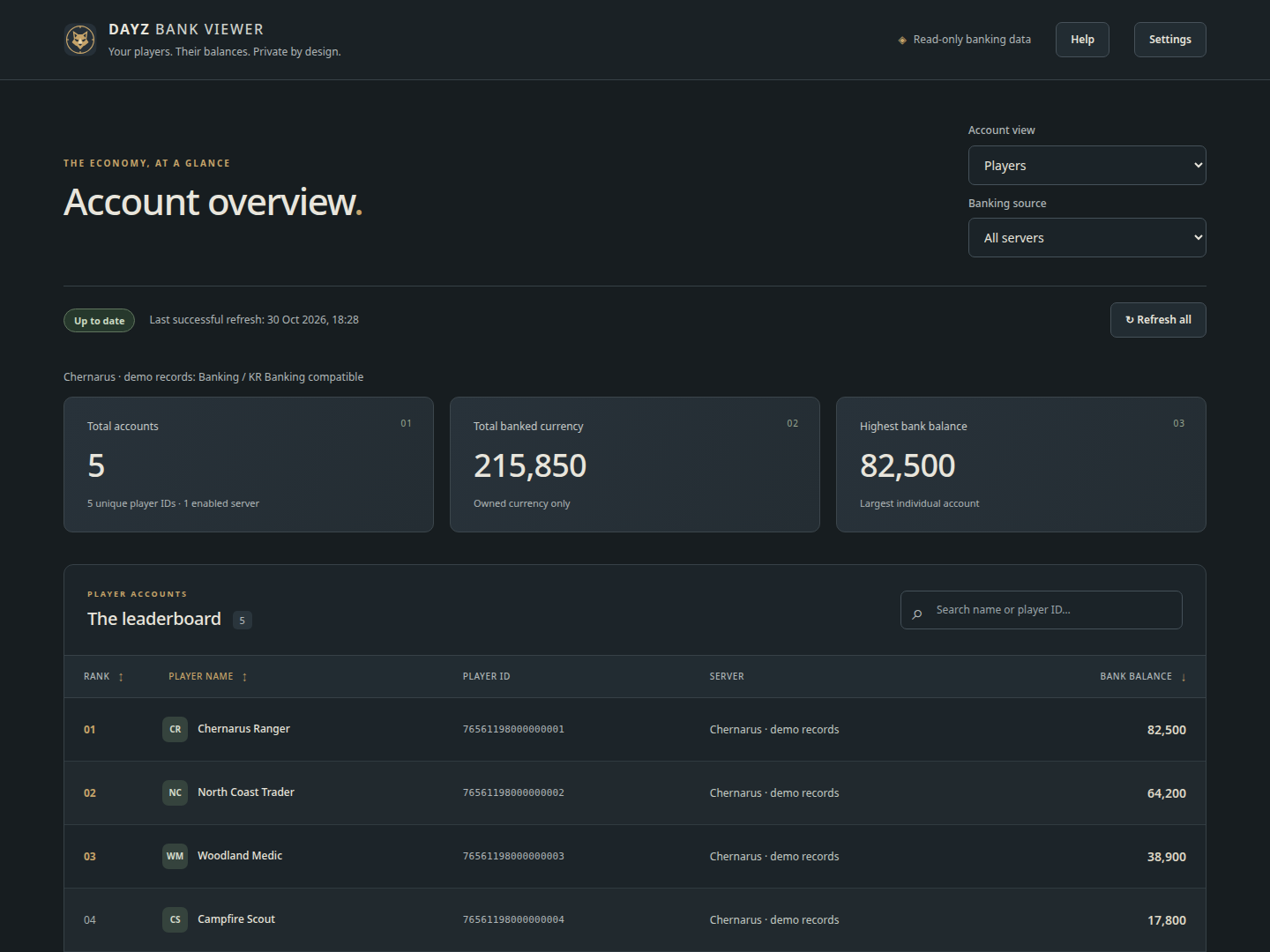
Search by name or ID and sort by balance. Move between a single server and your network overview without opening each banking file by hand.
Review personal balances alongside shared funds, with separate totals for each. Works with Banking/KR, DC Banking and Expansion ATM player accounts, plus KR clan and Expansion party accounts.
The viewer reads your banking files without changing them. Your dashboard and help run locally, and banking scans work without an internet connection.
Point the viewer at a local server installation or backup. It can find supported banking folders for you, or you can add them yourself. Review your sources, save and start exploring.
Use it from your desktop, with optional unattended operation when your server needs it.
Packages are provided for Windows x64 and Debian / Ubuntu x64. Portable ZIP and tar.gz builds are listed on the stable release.
Supported sources include Banking/KR, DC Banking and Expansion ATM player accounts, KR clan accounts and Expansion party accounts. Local ADM logs can supply Expansion player names when available.
Banking scans, the dashboard and help run locally. Only a manual update check contacts GitHub; it sends no banking records or folder paths. There is no telemetry.
The dashboard opens locally by default. It has no built-in login or TLS. For remote administration, use the documented SSH tunnel or an authenticated reverse proxy.
Read the server setup guide →Free and open source. Licensed under AGPL-3.0-only.